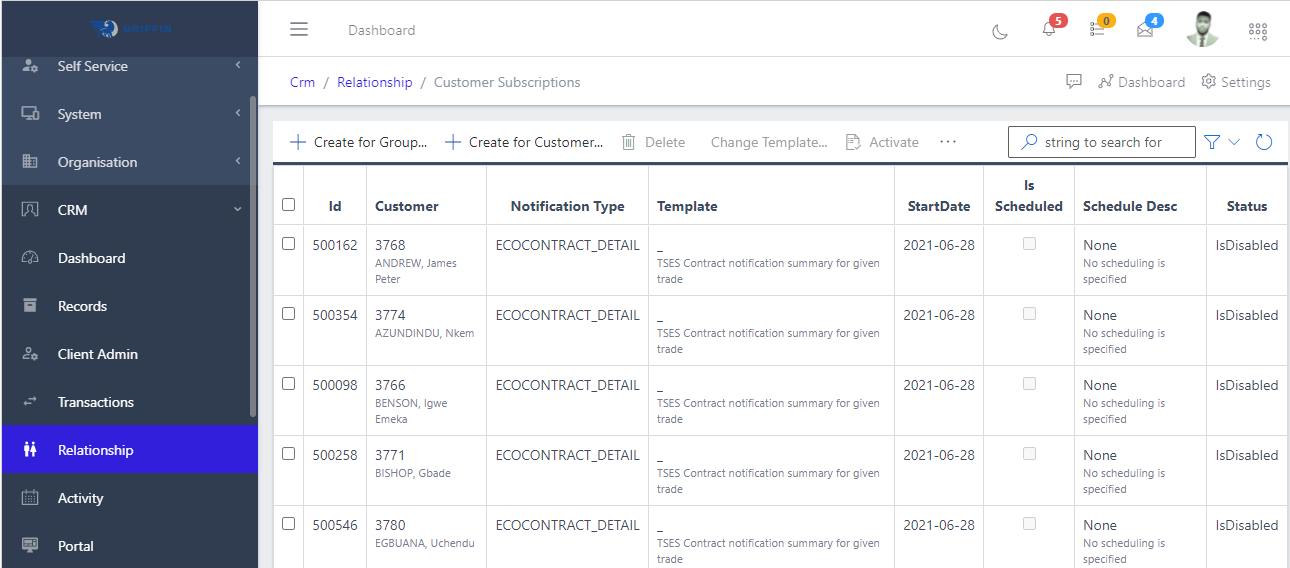
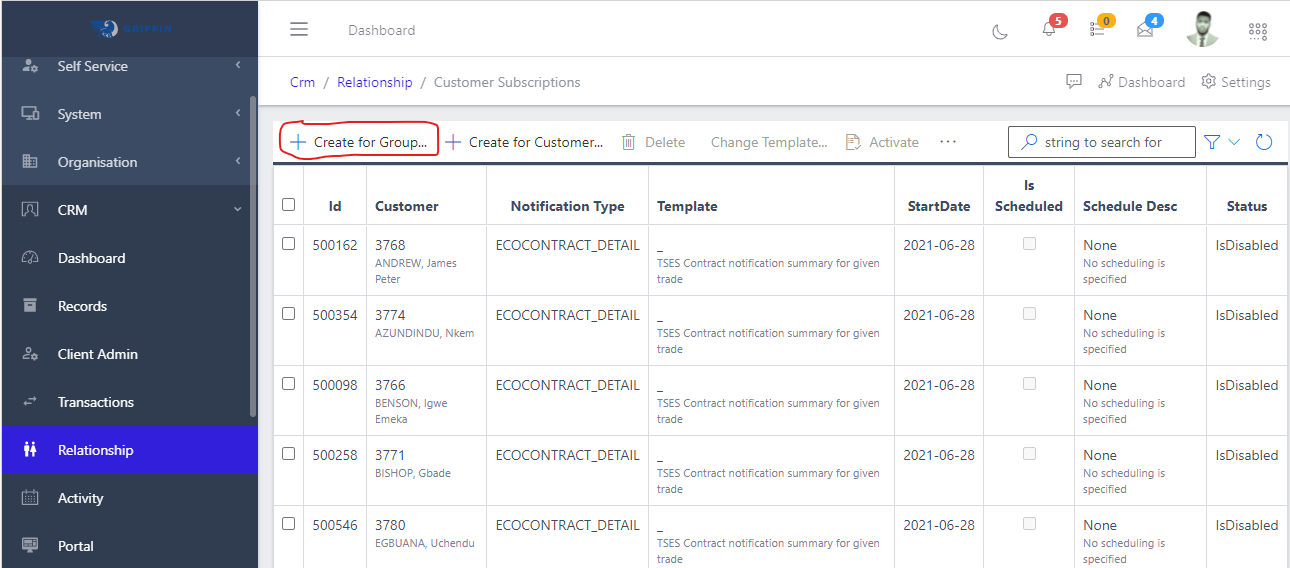
A subscription can be created for group of customers. These customers are customers with somethings in common (say, subscribe to birthday greetings). From FIG 2.0 below, the button on the far left is used to create customer group.
Fig 2.0 Creating Customer Subscription Group button.
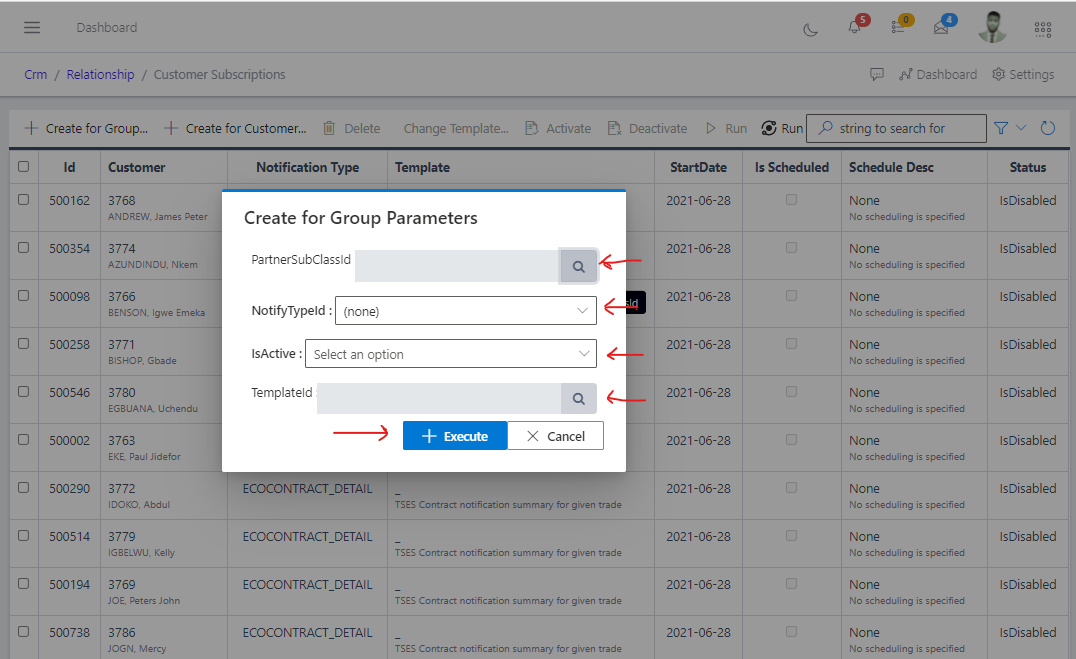
Fig 2.1 Showing form parameters to create a customer subscription group.
Note: The chosen NotifyTypeId should match the TemplateId and if a TemplateId is not chosen a default TemplateId will be selected automatically by the system.
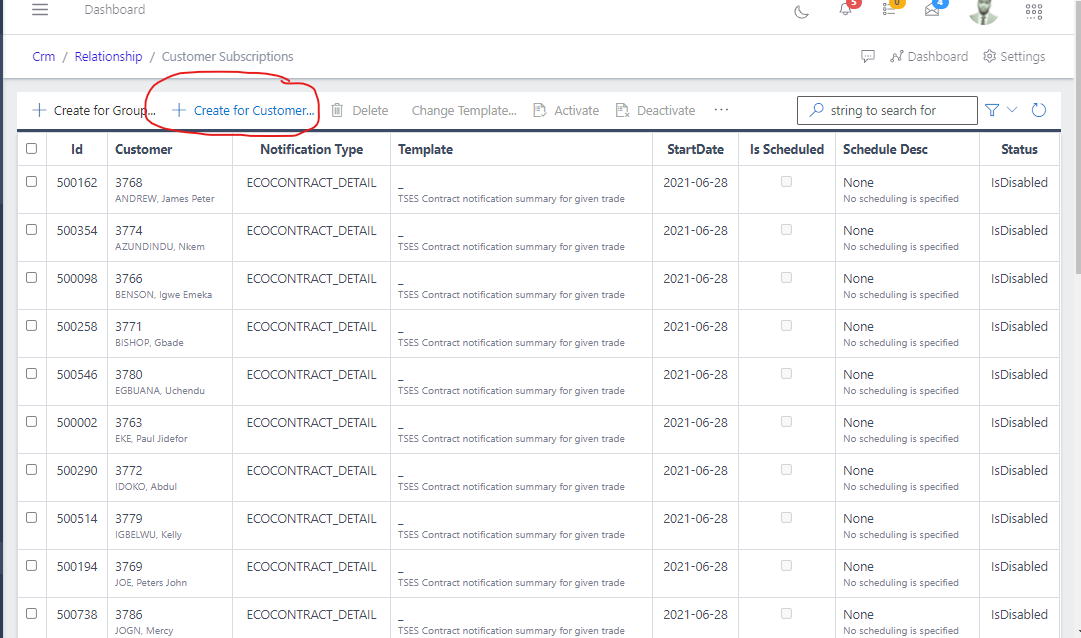
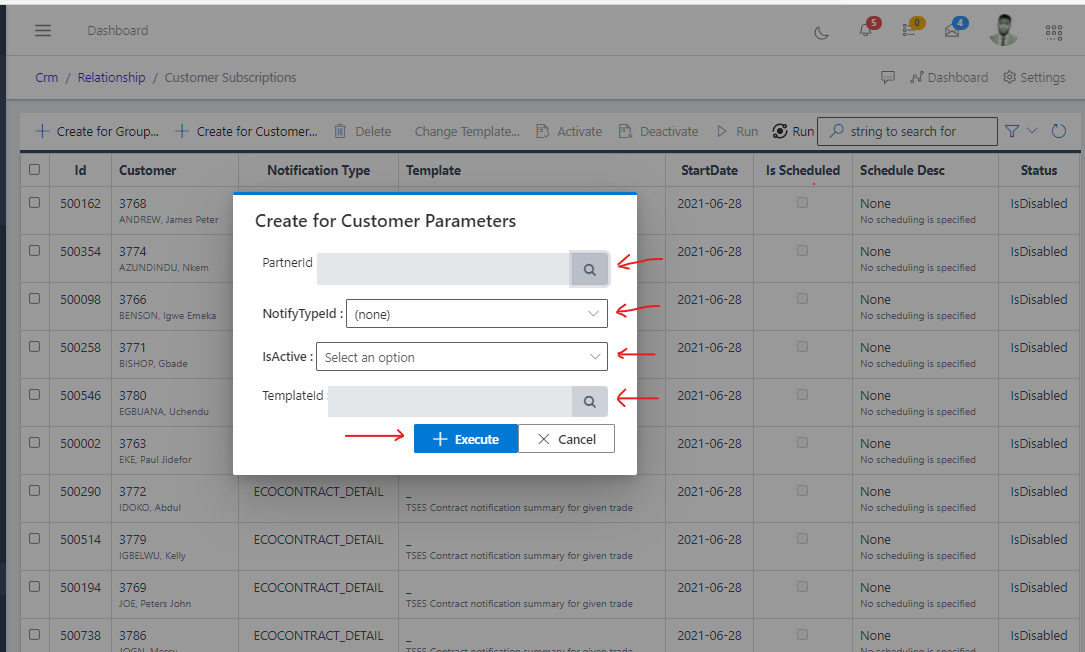
Unlike the customer subscription group which creates a subscription for a group of customers, Customer subscription creates for an individual customer as shown in the image below:
Fig 3.0 creating a customer subscription button.
Fig 3.1 Showing form parameters to create a customer subscription.
Note: The chosen NotifyTypeId should match the TemplateId and if a TemplateId is not chosen a default TemplateId will be selected automatically by the system.