Petty Cash Reimburse

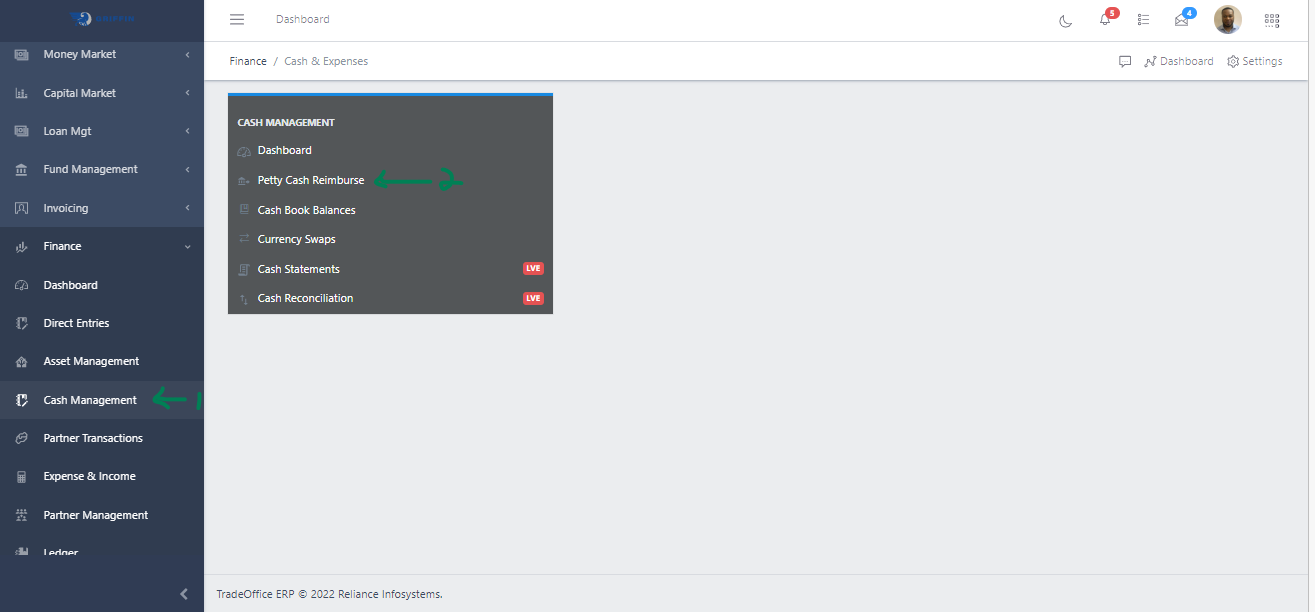
  • Step 1: Access the Cash Management sub-module of the Finance module from the left sidemenu as shown in the fig1 below.
  • Step 2: Click on Petty Cash Reimburse as shown in the fig1 below.
Fig 1 Navigating to Cash Reimburse
Fig 1 Navigating to Petty Cash Reimburse

  • This displays a list view of Petty Cash Reimburse.
  • Use the Filter button, when clicked, gives you a dropdown where you can specify various parameters for filtering the records:
    • Search string: for filtering records
    • Company: A dropdown list of companies
    • From: The start date on which we would like to view cash reimsbursement
    • To: The end date on which we would like to view cash reimsbursement
    • Status: A drop down of different statuses

Create a Cash Reimburse

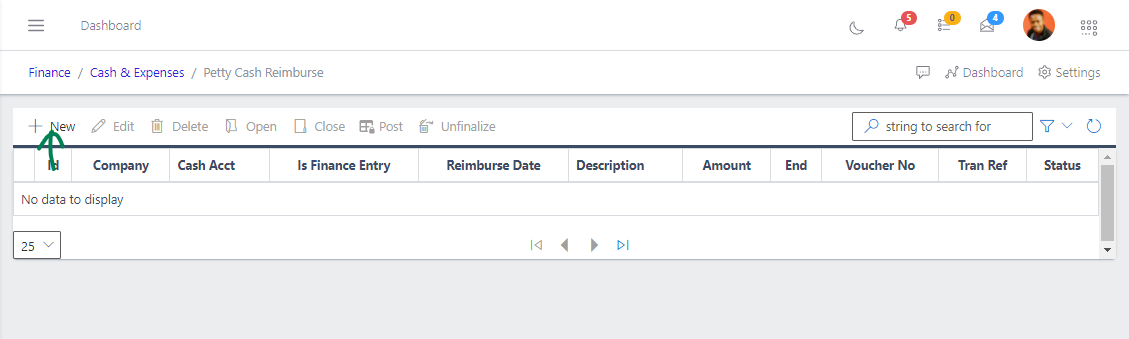
  • To create a cash disburse, hit the New button in the toolbar area and populate the form fields.
Fig 4 Clicking New Button to Create a New Cash Reimburse
Fig 4 Clicking New Button to Create a New transfer

  • The following are some of the fields that needs to be populated:

    • Is Fin Entry
    • Reimburse Date
    • Cash Account
    • Amount
    • Reimburse Method
    • Voucher No
    • Receiver
    • Description
    • Contract Account
  • You also need to populate the fields in the Documentation tab

  • After filling out the form, hit the Save and Close button.
View a Cash Reimburse

  • From the List view, click the Id of the cash reimburse to view it

Edit a Cash Reimburse

  • From the list view, select the cash reimburse you want to edit by clicking on a checkbox
  • Click the edit button to edit the cash reimburse you just selected
  • After editing, save the changes.

Delete a Cash Reimburse

  • From the list view, select the cash reimburse you want to delete using the radio button
  • Click on the Delete button to delete the cash reimburse

Open a Cash Reimburse

  • To open a cash reimburse, select it from the list view
  • Click the Open button

Close a Cash Reimburse

  • To close a cash reimburse, select it from the list view
  • Click the Close button

Post a Cash Reimburse

  • To post a cash reimburse, select it from the list view
  • Click the Post button

Unfinalize a Cash Reimburse

  • To reverse the state of a cash reimburse, select it from the list view
  • Click the Unfinalize button