Stat. of Fin. Position

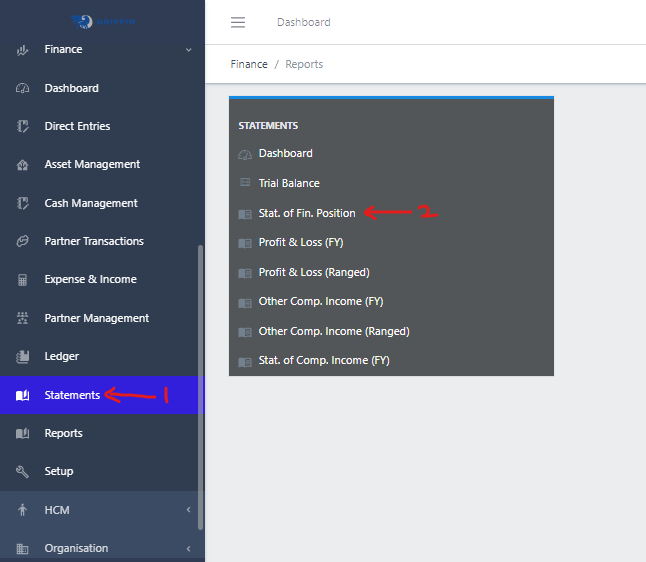
  • Step 1: Access the Statements sub-module of the Finance module from the left sidemenu as shown in the fig1 below.
  • Step 2: Click on Financial Position as shown in the fig1 below.
Image showing Navigation to Financial Position
Fig 1.0 Navigation to Financial Position.

  • This displays a list view of Financial Position.
Image showing list view of Financial Position
Fig 1.1 List view of Financial Position

Filter list of Financial Position (Balance Sheet)

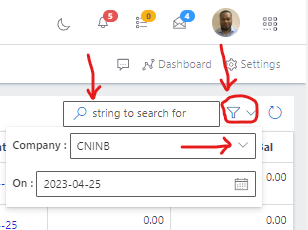
  • Use the Filter button, when clicked, gives you a dropdown where you can specify various parameters for filtering the records:
    • Company: A dropdown list of companies
    • On
Image showing Search, filter button and filter options
Fig 2.0 Image showing Search, filter button and filter options

Exporting Financial Position (Balance Sheet)

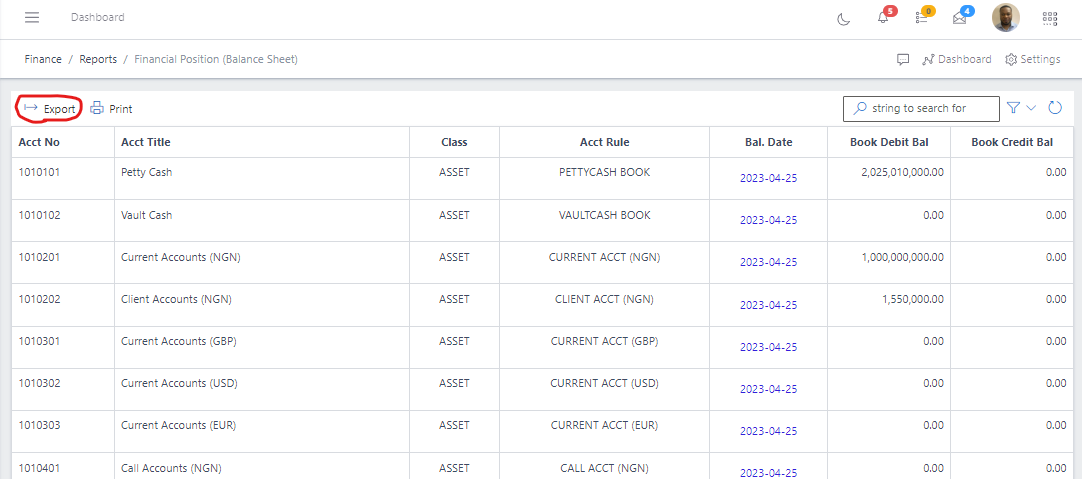
  • Export the Financial Position data to excel by clicking the Export button
Image showing Financial Position export button
Fig 3.0 Image showing Financial Position export button.

Note: Once the export button is clicked, it pops up an option to download a copy of the Financial Position to your computer system as an excel document.
Printing Financial Position (Balance Sheet)

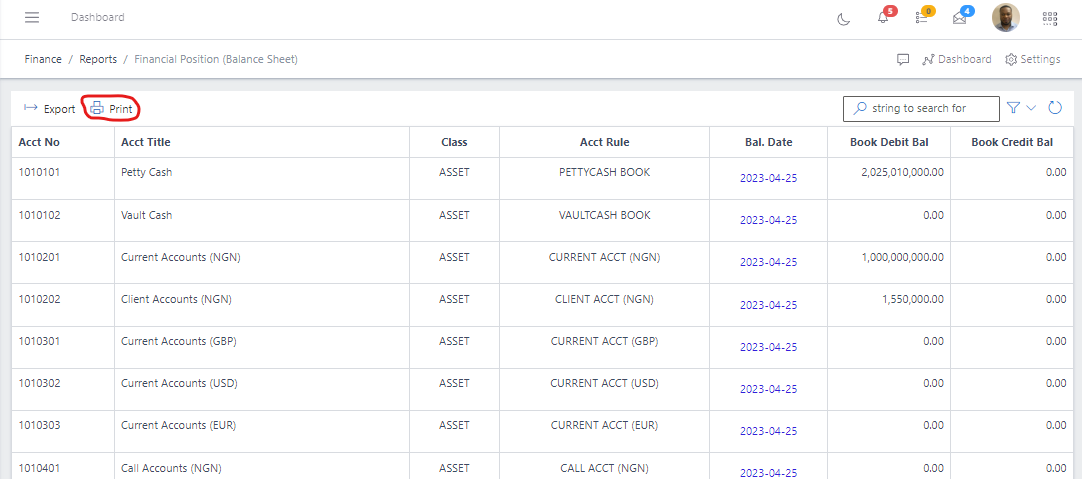
  • Print the Financial Position data by clicking the Print button.
Image showing Financial Position export button
Fig 4.0 Image showing Financial Position print button.