Title here
Summary here
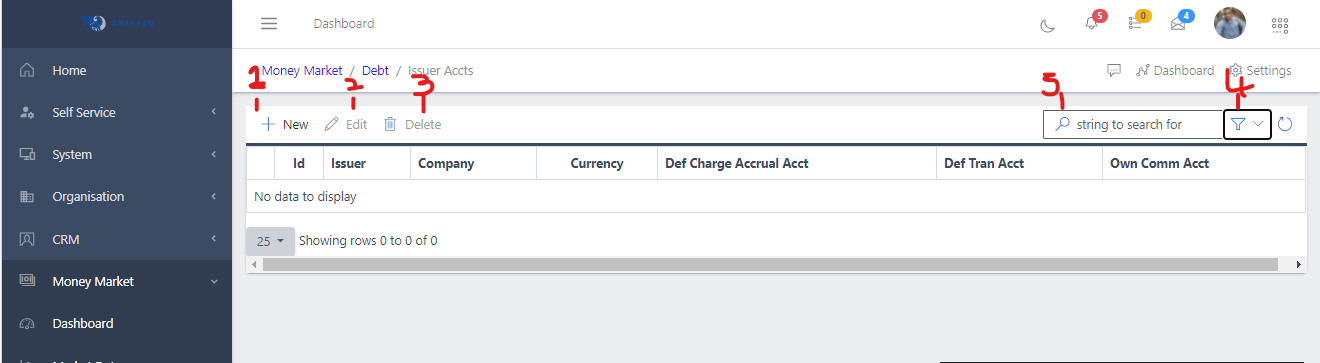
From seen in Fig 3a above , there are labels from 1-5, these signifies the actions that can be carried out on the Issuers Account page , and the buttons representing such actions
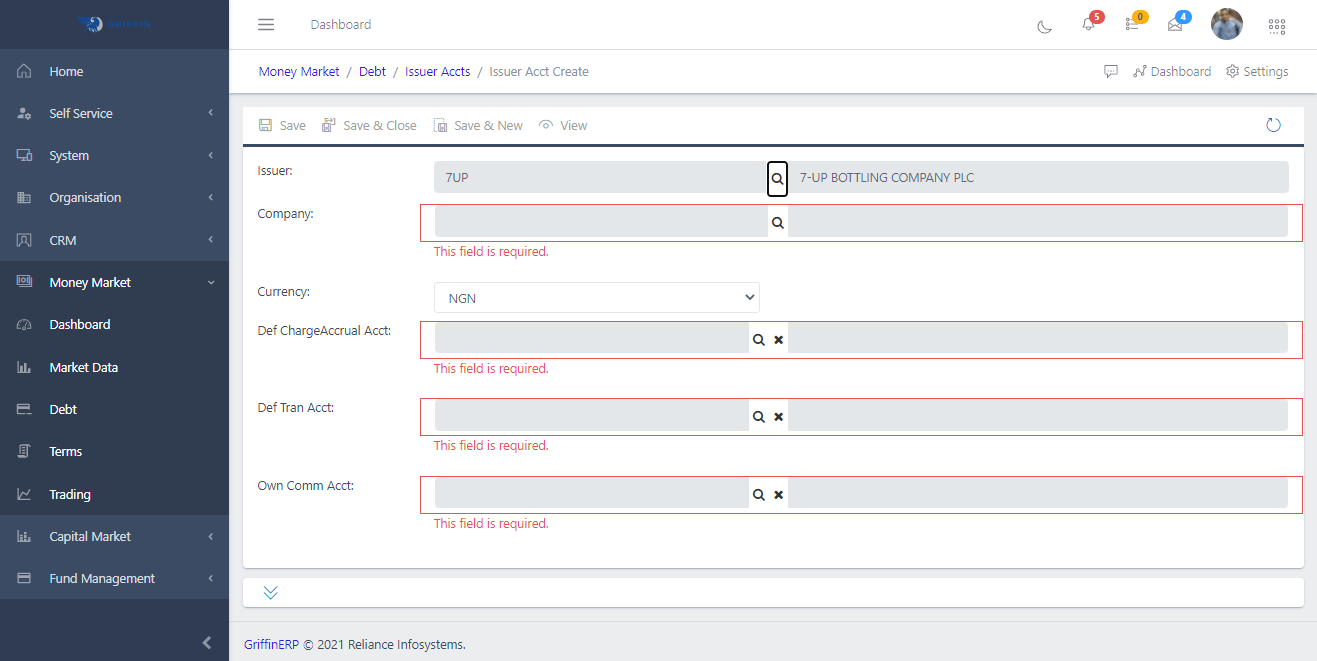
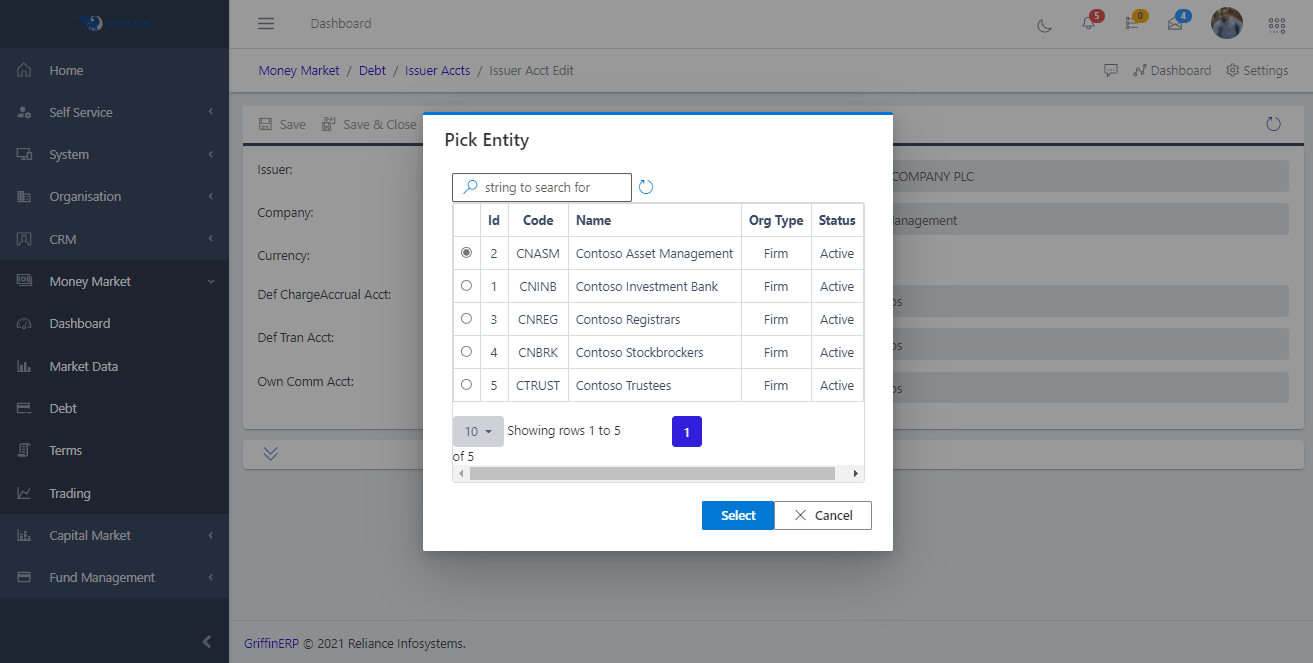
Label 1 – New Button: This is for creating a new Issuers Account. When one hits this button it redirects to the Issuers Account Create Page. This can be seen in Fig 3b below. All the provided fields are required so all that’s needed is to hit the search button provided on each field and pick out the required accounts as shown in Fig 3c below.
Label 2 – Edit Button: Used in editing an already created Issuers Account
Label 3 – Delete Button: Used in Deleting an already created Issuers Account , one which is no longer needed
Label 4 & 5b – Filter & Search: one can filter the already created accounts list by the currencies in which the account was crrated. For example , one can filter for NGN, USD, GBP, RUS EUR , etc. By default the filter is in [all] , signifying all currencies. One can also use the search field to search for specific Issuers Accounts by Issuer name or company name, or any other identifier.