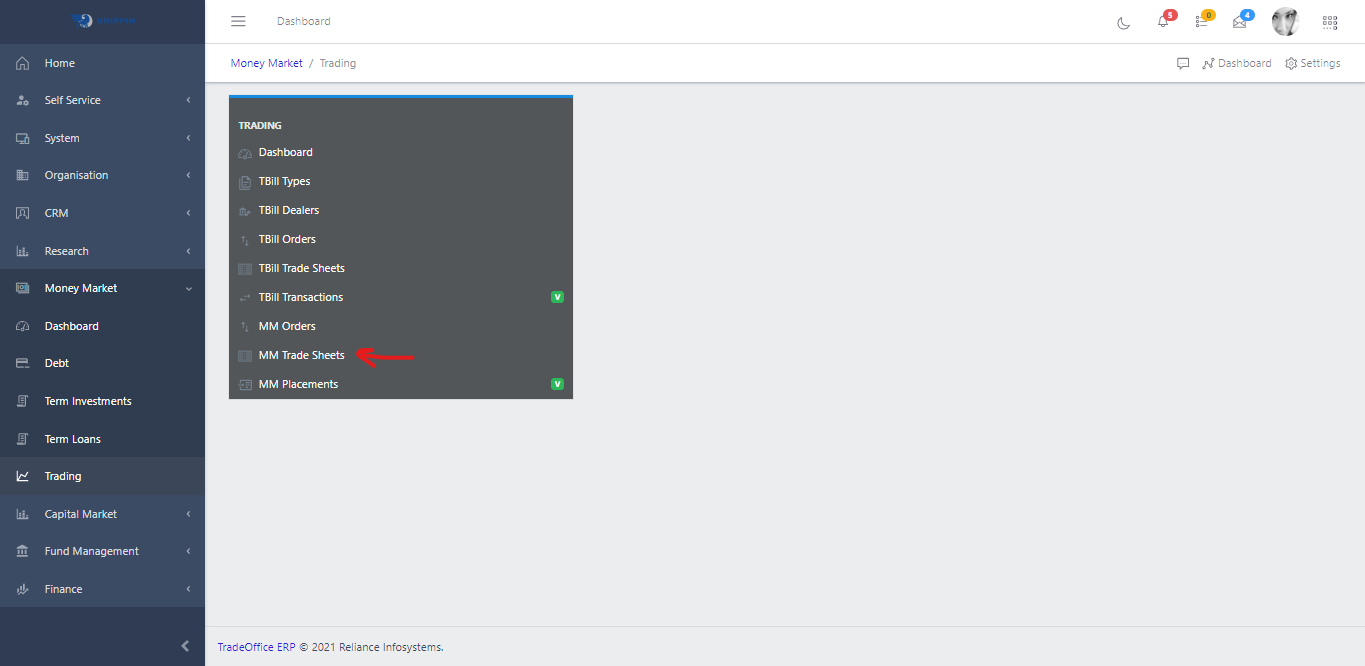
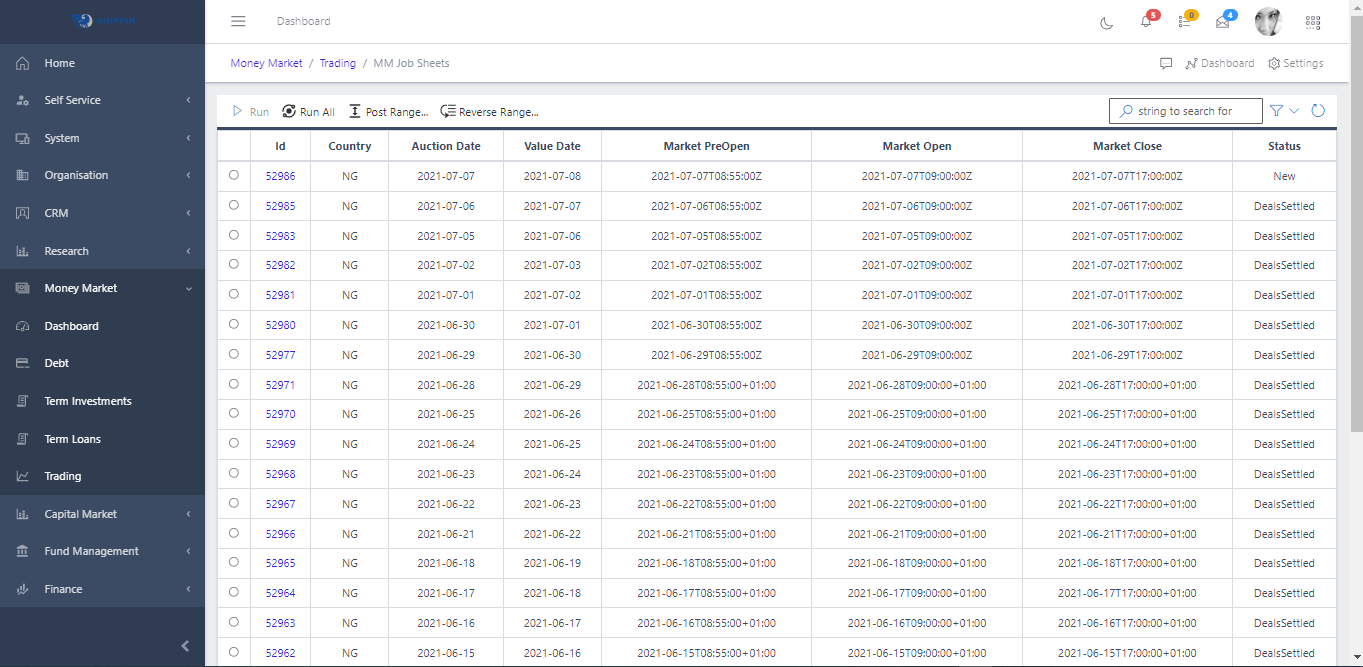
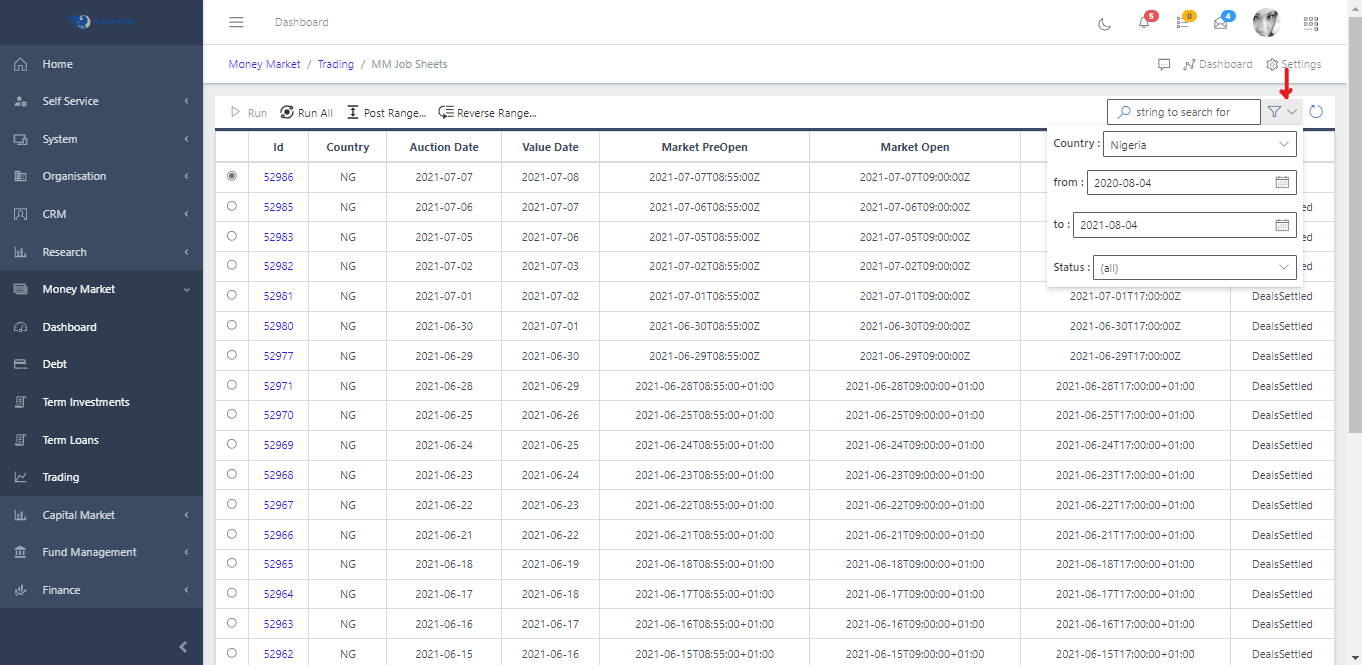
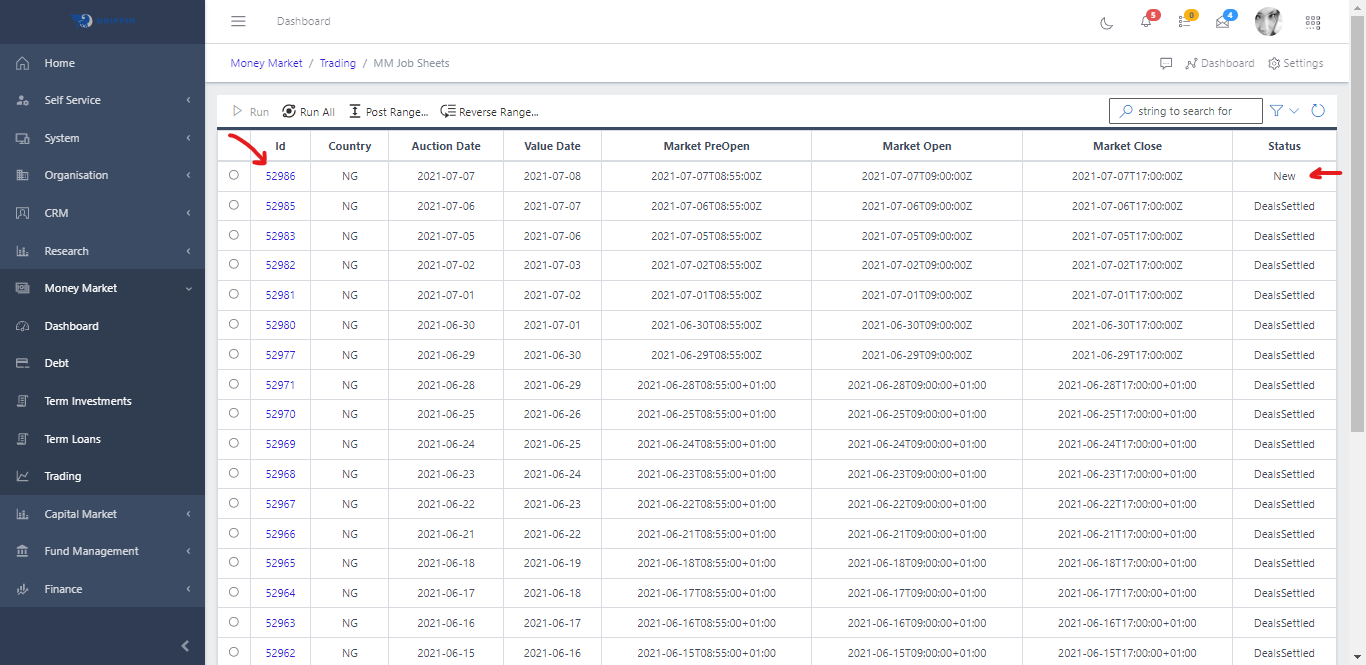
MM Tradesheet On this page Navigate to MM Tradesheets# Access the Trading sub-module of the Money Market module Click on MM Tradesheets Fig 1 This displays a list view of MM Tradesheets. Fig 1.1 Use the Filter button, when clicked, gives you a dropdown where you can specify various parameters for filtering the records:Search string: for filtering records Country: A drop down list of countries From: The date on which we would like to start to filter the records To: The date on which we would like to stop the filtering Status: dropdown list of status types Fig 1.2 Viewing MM Tradesheet# A new sheet is opened automatically every day to prepare for the new trading day. By default, the sheet will have a STATUS of new.
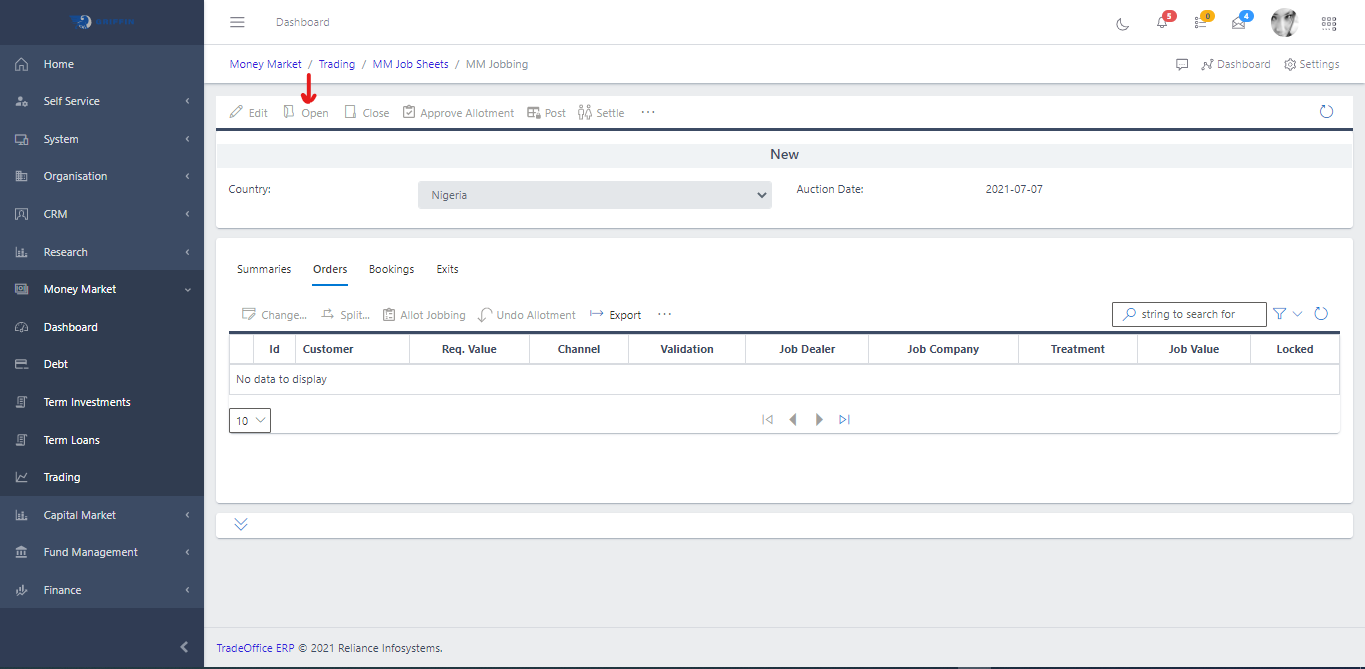
Click the ID of a particular sheet, this should take you to the view page of the sheet Fig 1.3 Opening MM Tradesheet# After clicking the ID of the trade sheet to view it, click the Open button to open a new sheet. See Fig 2
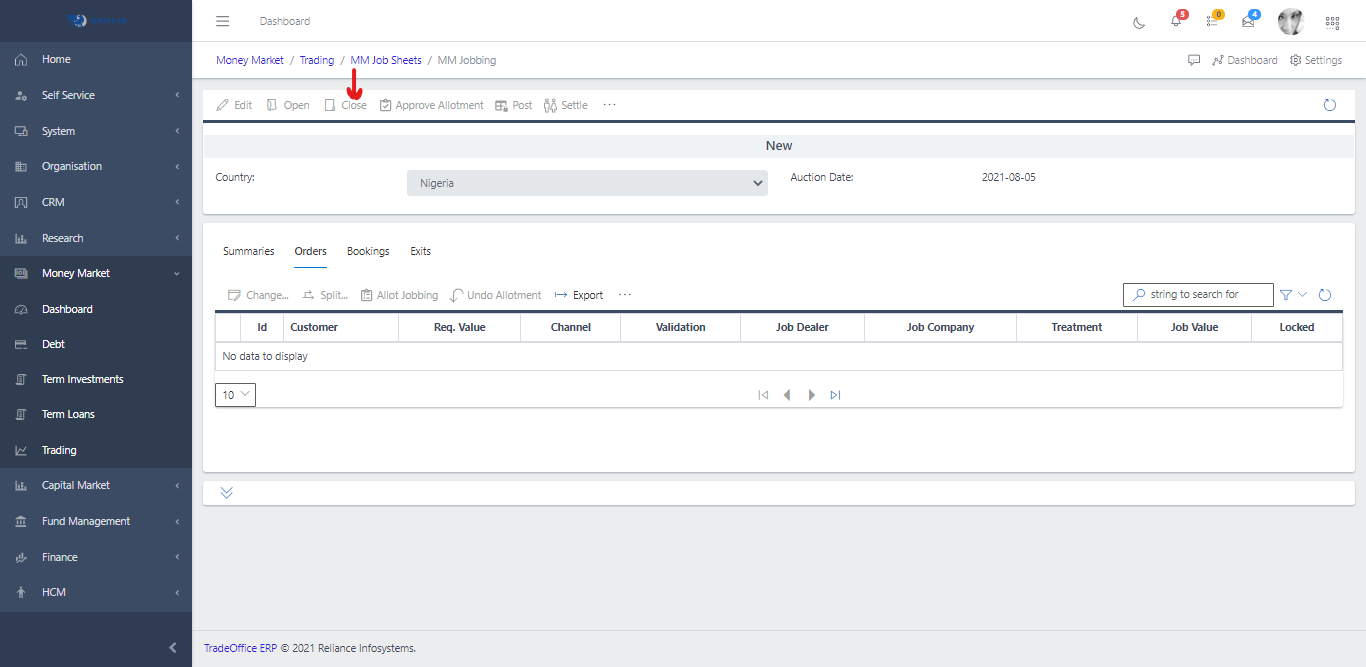
Fig 2 Closing MM Tradesheet# To close the deal sheet and prevent further posting of trades and also permits other activities to be carried out on the trade sheet such as approval and posting.
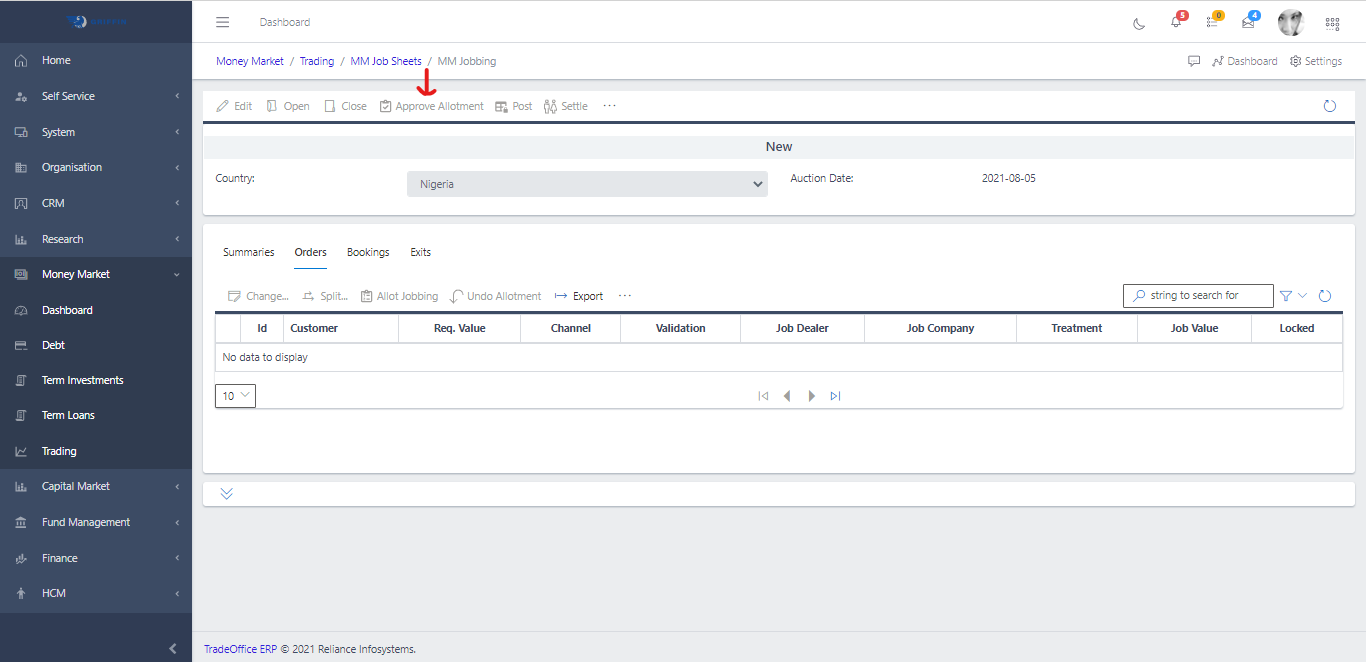
Click the Id the of the sheet you want to close Then hit the Close button Fig 2.1 Approving a MM Tradesheet# After closing a deal, click the Approve button to approve the sheet
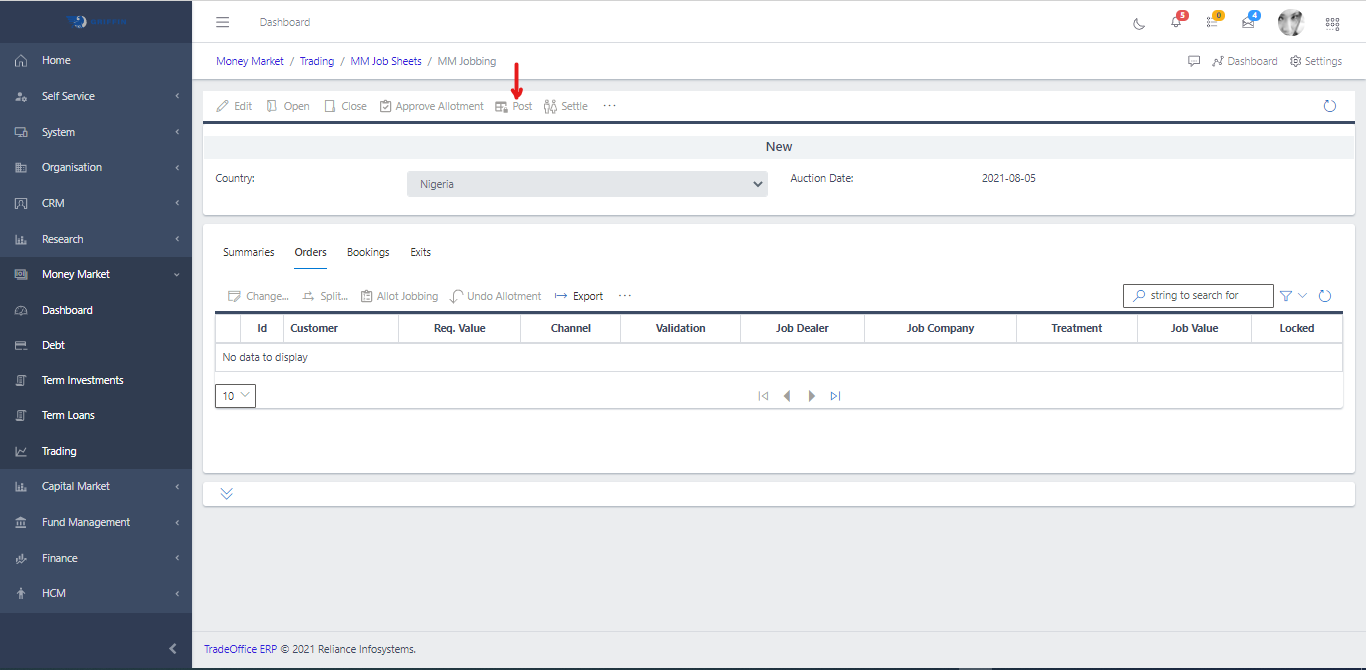
Fig 2.2 Posting MM Tradesheet# When the approval process is successful, click on the Post icon as shown in Fig 2.2 to post the trade for the day. This will automatically prepare a new sheet for the next day.
Click the Id of the sheet you want to post Hit the Post button to post the trade for the day Fig 2.3 Unapproving a MM Tradesheet# In situations where errors are observed at the approval level, then clicking on the “UNAPPROVE” button terminates the sheet from further processing.
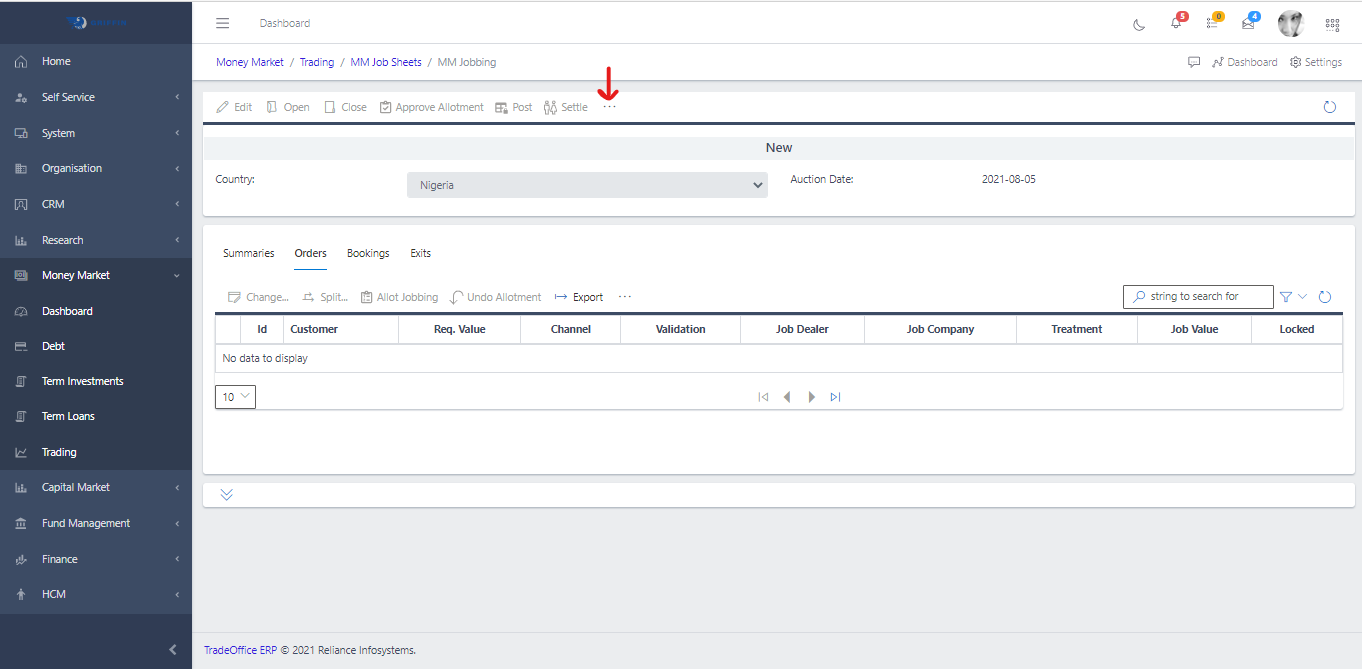
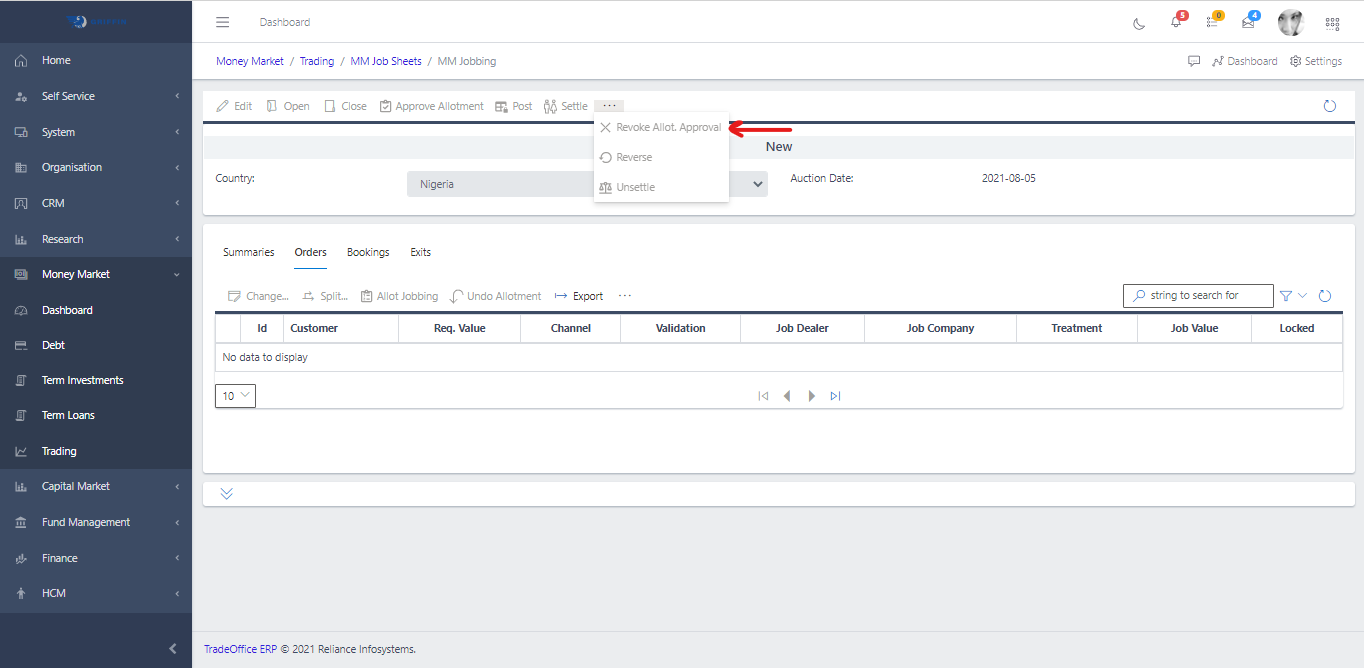
Click the ID of the sheet you want to unapprove Click the ellipsis(…) See Fig 2.4 Fig 2.4 Clcik the Revoke Approval See Fig 2.5 Fig 2.5