Past Grades

Introduction

Past grades refer to the historical record of an employee’s pay grades or performance grades over time. This data helps:

  1. Track Career Progression
  2. Showing how an employee has moved through different pay or performance grades.
  3. Analyze Growth
  4. Evaluating how previous performance has impacted promotions, salary increases, or bonuses.
  5. Transparency
  6. Offering employees a clear view of how their job performance and qualifications have been valued over time.
  7. Support Decision Making
  8. Helping managers make informed decisions about promotions, salary adjustments, or future development opportunities.

How to access Past Grades

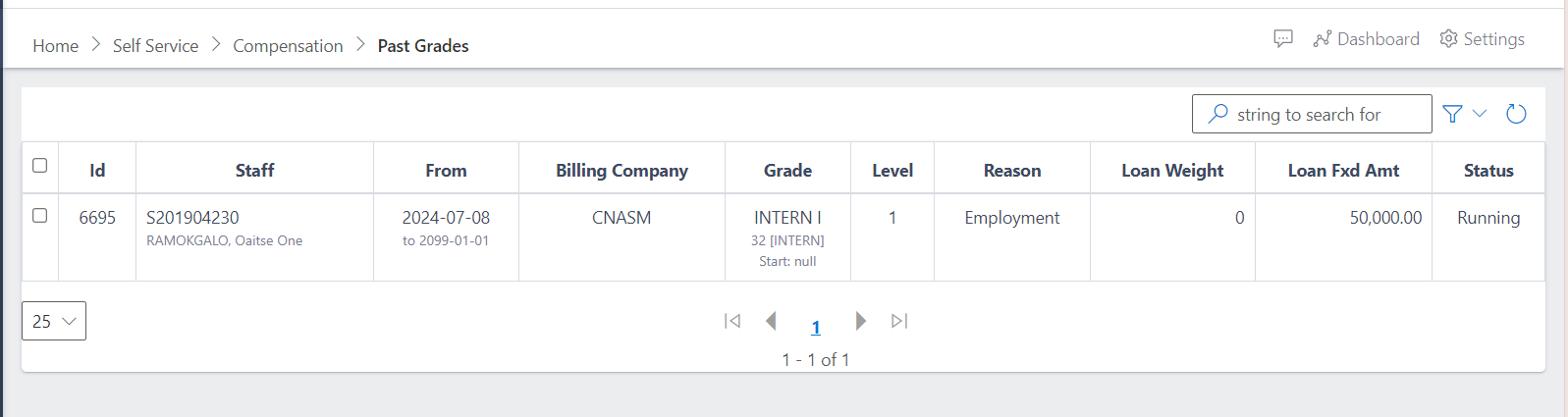
In order to access the Past Grades view, you click on it in the Compensation dashboard, and it will give the below view:

Fig 1 Scheme Enrollment View
Past Grades View

How to search for a particular item

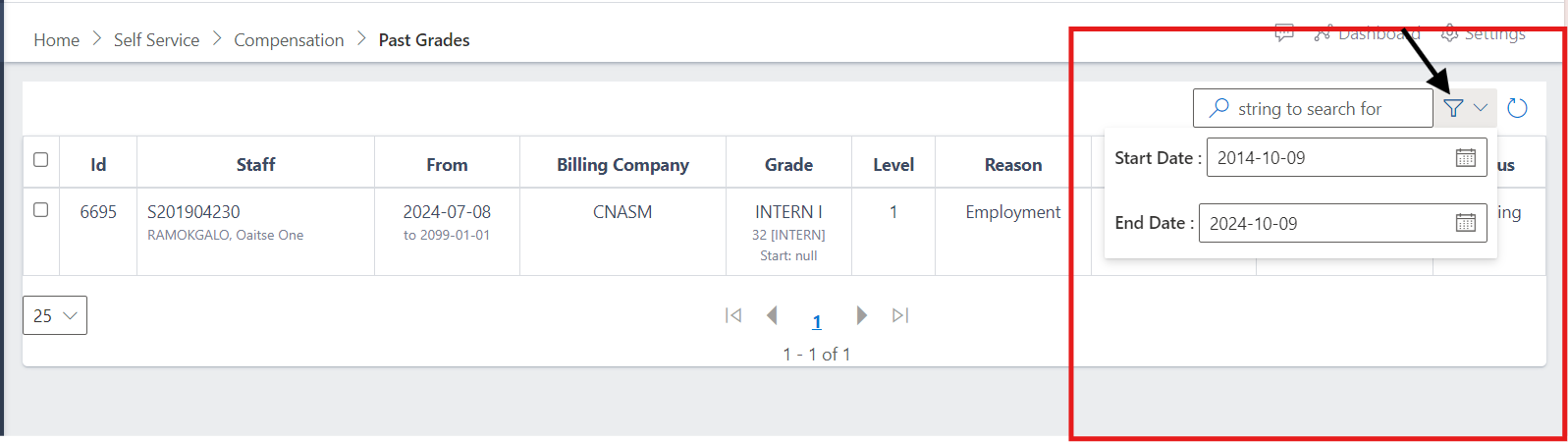
-In order to search on the past grades table, you click on the far right drop down arrow, where it will display the:

-Start date 
-End date

In this section you can select the timeframe of the data you want to access.

Fig 1 Scheme Enrollment View
Past Grades Dropdown

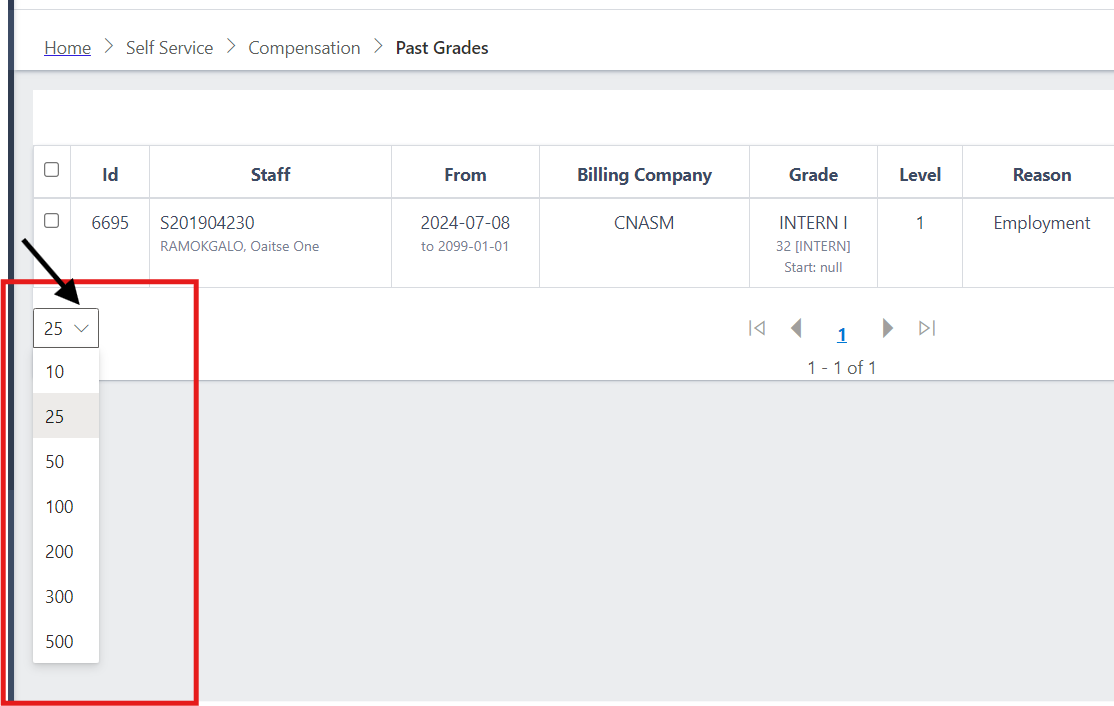
The following section displays the amount of data you want displayed after searching items in the above table.

Fig 1 Scheme Enrollment View
Past Grades Dropdown

Explanation of Variables

  1. ID:This refers to a unique identifier for the compensation record or the employee. It helps differentiate one record from another in the database.
  2. Staff:This indicates the name or identifier of the employee whose compensation record is being reviewed. It may also refer to their job title or department.
  3. From:This specifies the starting date of the compensation period being evaluated. It marks the beginning of the timeframe during which the compensation was applicable.
  4. Billing Company:This field refers to the company or department responsible for billing associated with the employee's work. It could indicate the organization handling the employee's payroll or related financial activities.
  5. Grade:This denotes the employee's grade or level within the organization. Grades often correspond to a predefined scale that reflects the employee's position, responsibilities, and expertise.
  6. Level:Similar to grade, level refers to the rank or hierarchical position of the employee within the company. It often indicates the seniority or scope of responsibility associated with the role.
  7. Reason:This field typically provides an explanation for any changes in compensation, grading, or employment status. It could include details like performance evaluations, promotions, demotions, or other factors affecting the employee's compensation.