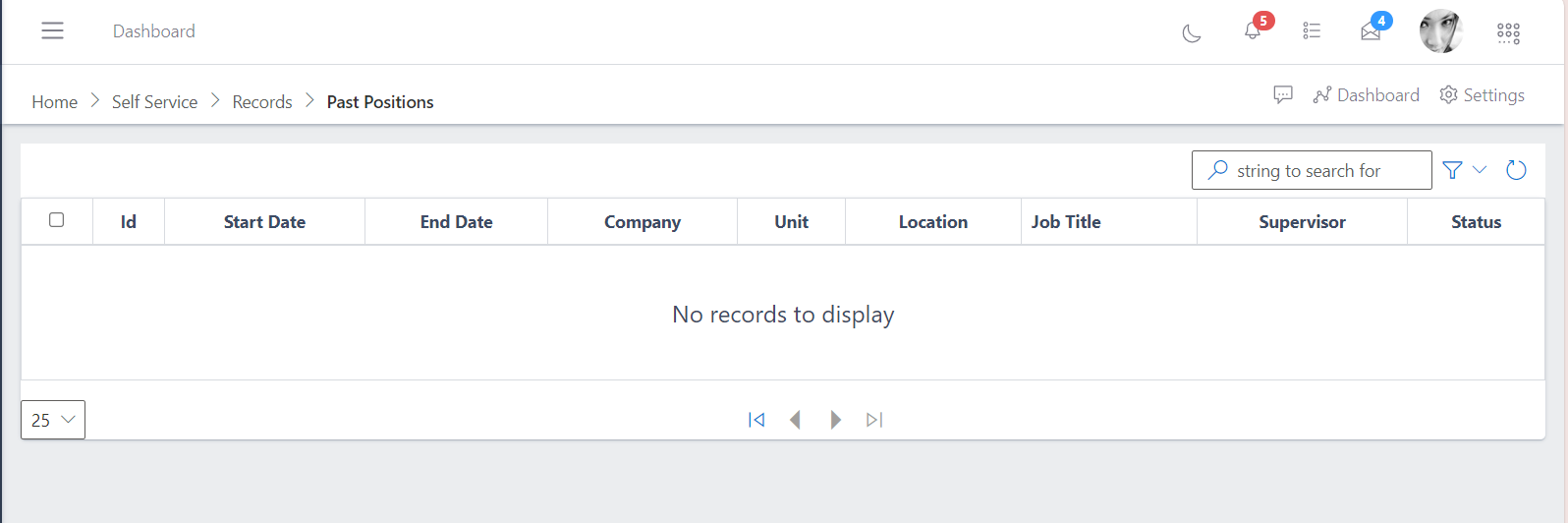
The past position shows the staff previously occupied positions within the organization. Past position from the self-service perspective gives a bird eye view of all the positions the staff have been in since joining the organization and who he/she has been reporting to within each position. This may include position titles, departments, and the dates each role was held.
It can be used to track career growth and promotions, helping to identify patterns in role changes or advancement. By viewing an employee’s past positions, managers can assess their experience and growth areas, which can be helpful for role assignment, project planning, or further training needs.
HR teams can use past positions to review an employee’s trajectory within the company, supporting succession planning and decisions on internal job shifts.
In the Past Positions section of the Tradeoffice ERP app’s Records module, the following fields provide detailed information about an employee’s previous roles within the organization. Here’s a breakdown of each term and its relevance:
ID
Purpose: A unique identifier or reference number for each position held by the employee.
Relevance: Helps HR and management track and reference specific roles in databases, especially useful if an employee held multiple roles or similar positions within the organization.
Start Date
Purpose: The date when the employee started the particular position.
Relevance: Indicates the beginning of a role, helping to calculate the duration of time spent in each position, which is essential for performance review, promotion eligibility, and tenure analysis.
End Date
Purpose: The date when the employee left the position.
Relevance: Marks the conclusion of a role and helps determine how long an employee held a specific position. Useful for analyzing career progression, role changes, and reasons for position shifts.
Company
Purpose: Specifies the particular company or entity within a larger organization (e.g., if the employee worked in a subsidiary or branch).
Relevance: Useful in multinational or multi-entity organizations where employees may move between different subsidiaries or departments, enabling tracking of an employee’s experience across various parts of the business.
Unit
Purpose: Refers to the specific business unit, division, or department where the employee worked.
Relevance: Provides context about the role’s functional area (e.g., Sales, Marketing, HR), helping assess skills and expertise developed in different areas of the organization.
Location
Purpose: Indicates the geographic location where the employee held the position.
Relevance: Useful for understanding any relocations or regional experience, which may contribute to an employee’s skillset, adaptability, and cultural knowledge.
Job Title
Purpose: The title or designation of the position held by the employee.
Relevance: Defines the employee’s role, level, and responsibilities within the organization, helping to track career progression and suitability for future roles or promotions.
Supervisor
Purpose: Identifies the direct manager or supervisor for that specific past role.
Relevance: Important for performance reviews and historical reporting, as well as providing context on the management structure and mentorship the employee may have received.
Status
Purpose: Describes the nature or completion status of the past role, which may include options like “Completed,” “Transferred,” or “Promoted.”
Relevance: Gives insight into why the role ended, whether due to promotion, transfer, resignation, or other reasons. This can be helpful for understanding career advancement patterns and role transitions within the organization.
These fields together create a comprehensive view of an employee’s work history within the organization, supporting informed decision-making for HR, management, and the employee’s career planning.
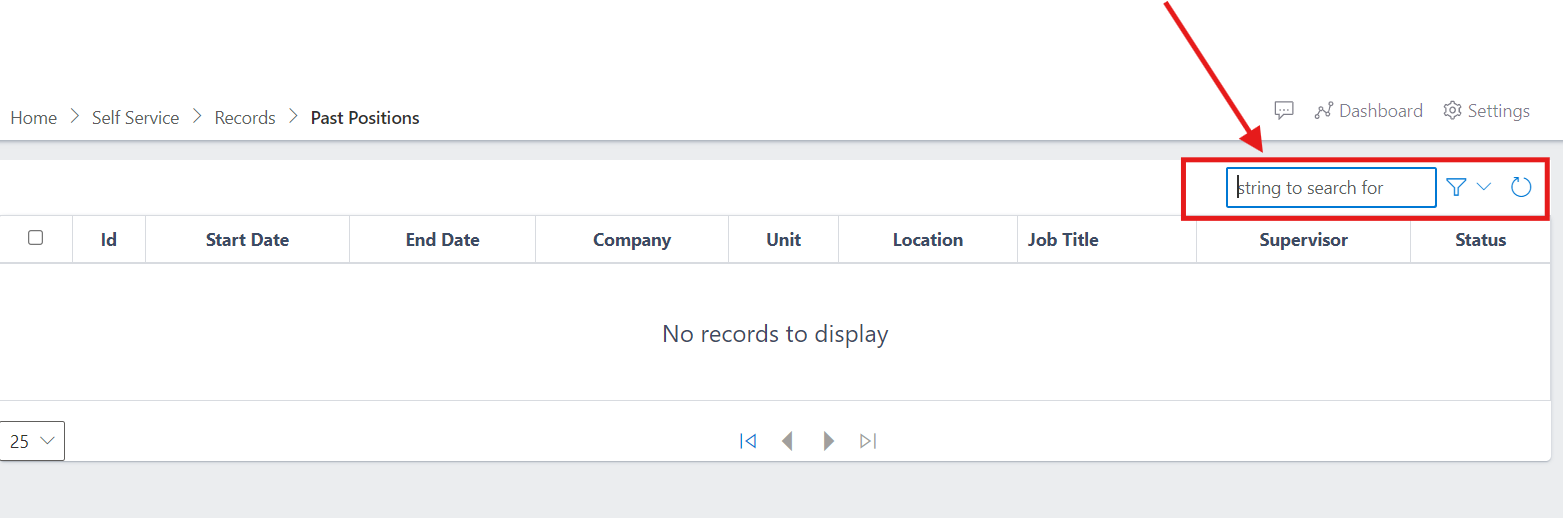
In order to search in Past Positions, you click on the box that has the search icon, where you will be able to enter the string which can be the name of the employee you want to look up or anything pertaining to past positions. The dropdown will show the dates to select from to specify the timefrane in which you want to search.