Title here
Summary here
The kyv Checlist in full stands for Know your vendor checklist. In the kyv checklist, you have a holistic view of all documentation provided by vendors during their onboarding. This feature provides users with the ability to view and validate these documents. Valid documents are kept in the vendor profile and invalid documents are voided.
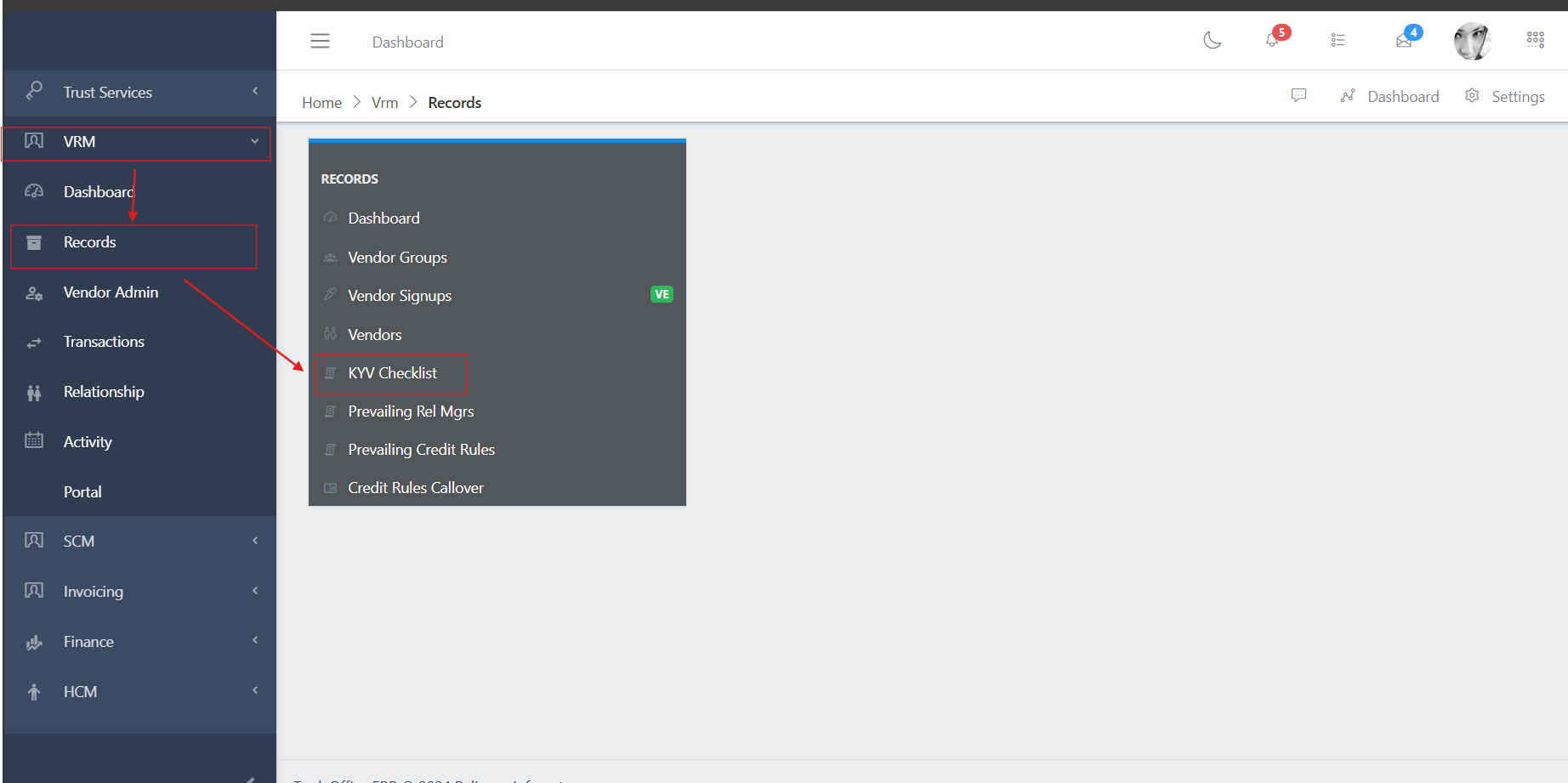
To navigate to the kyv checklist, from the homepage of the ERP, on the side bar navigation locate the “VRM” module and click on it, you will see a list of drop down menus, select the “Records” sub menu in the dropdowm menus, you will have the records dashoard displayed with different sub modules, now select the KYV Checklist menu. see image below
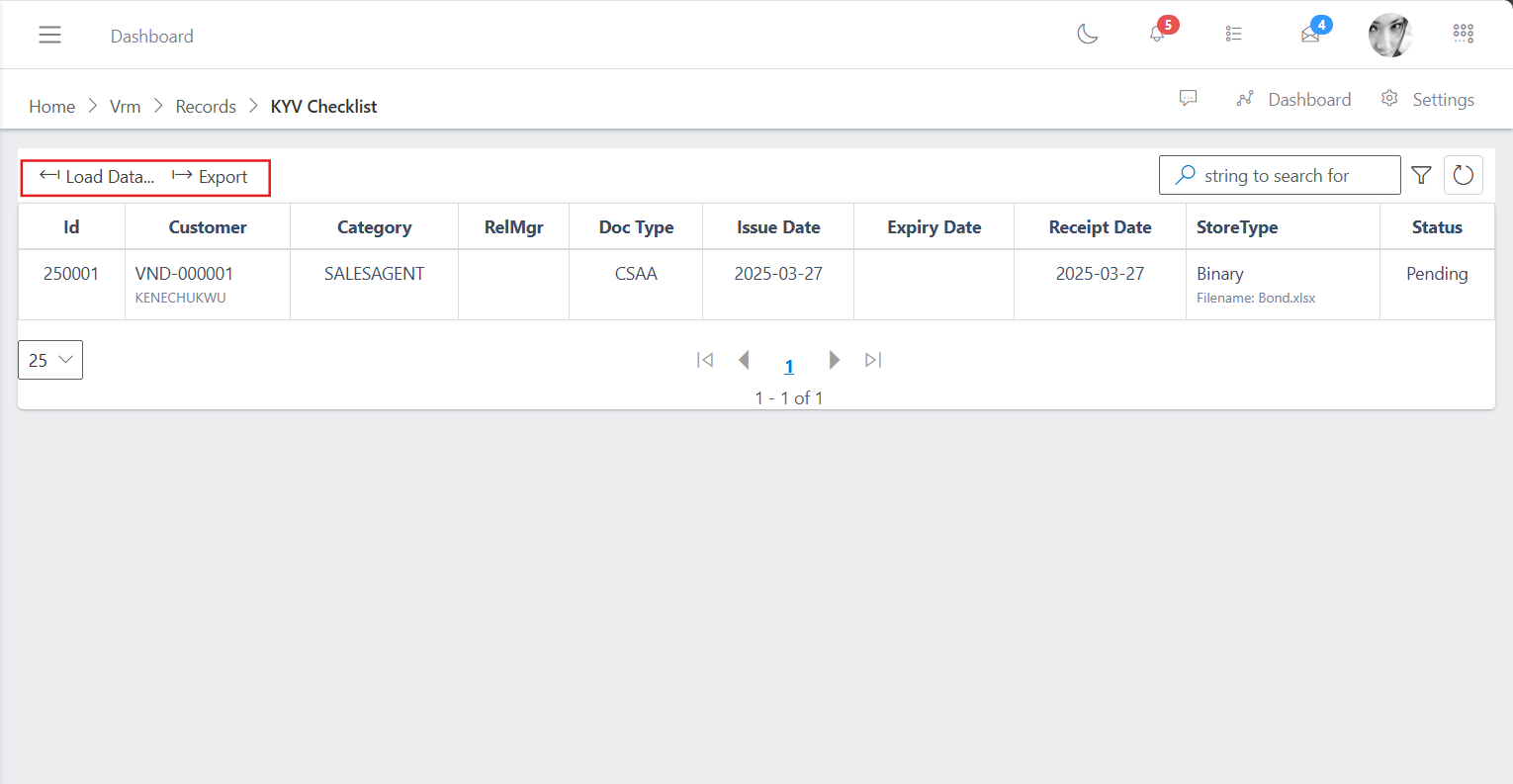
The image belows shows a table with the list of several documents uploaded by each vendor during their onboarding with their respective document types, as well as thier repective issue and expiry date as the case may be.
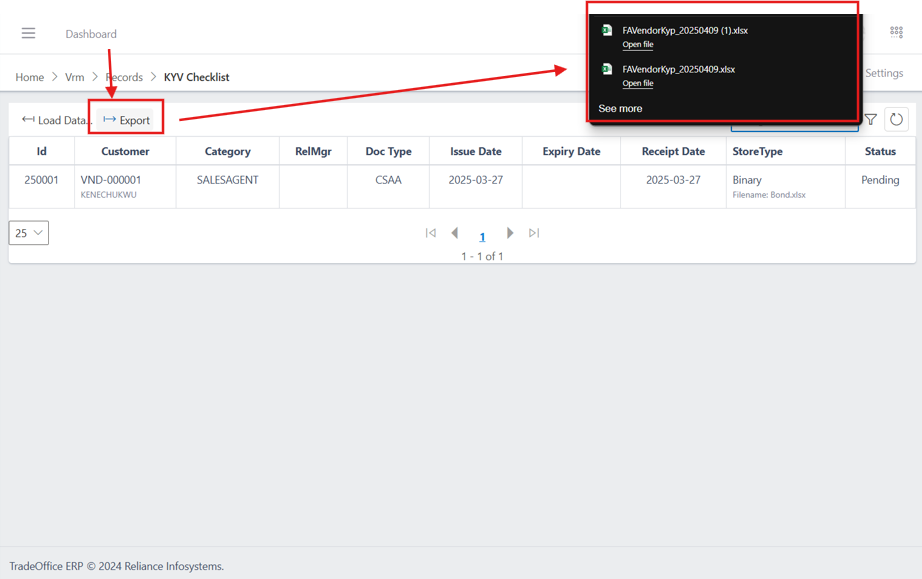
You also have command buttons at the top left of the table, to load and export this list as an excel document.
To export the data of the kyv checklist, click on the export button, you will notice you browser automatically downloads a file called “VendorKyp_{export date}” or shows a popup asking you to save or download the a excel document with the name as shown in the image below